We have detected that you are using AdBlock.

Please disable it for this site to continue.

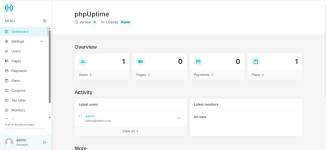
phpUptime - Website Uptime Monitor (SaaS)

Nulled phpUptime - Website Uptime Monitor (SaaS) v8.0 Nulled

kashif

Administrator
Staff member
VIP Member
Email Verified
kashif updated phpUptime - Website Uptime Monitor (SaaS) with a new update entry:

phpUptime v8.0 - Website Uptime Monitor (SaaS) Nulled

Password/Key:

*Nulled Version Added
8 — 10 January 2026
  • Added a new Plan option: Data Retention
  • Added Progressive Web App (PWA) support (the website can be installed as an app)
  • Added Cloudflare R2 storage support
  • Added Sitemap support (the sitemap.xml is now auto-generated)
  • Added Double Check functionality (when enabled, monitors that appear offline will be checked again before sending alerts)
  • Added the ability...

Read the rest of this update entry...
 
So, I decided to make a video so you can see what it is happening even thought I have ad blockers.
One video I have 1 adblocker and the second video I have 2 and still not able to download.
please check the videos.

video 1

video 2

please check because I believe Im doing it right but if I am not please let me know
 
So, I decided to make a video so you can see what it is happening even thought I have ad blockers.
One video I have 1 adblocker and the second video I have 2 and still not able to download.
please check the videos.

video 1

video 2

please check because I believe Im doing it right but if I am not please let me know
You are absolutely right, and this is not your fault at all.

About three months ago, VU Insider used mirror file hosting services to host files, which caused links to expire after a certain period. However, whenever a new update is pushed now, the files are being hosted directly on our own storage servers.

To ensure a smooth experience, please keep the following points in mind:

  • Use Brave Browser: We highly recommend using the Brave browser, as you won't face any ad-blocker issues there.
  • Report Expired Links: Wherever you find an expired file, please go to the resource section and leave a comment to let us know.
  • Blur Passwords: Please make sure to blur any passwords shown in the videos.
  • Avoid Bulk Commenting: Do not post comments in bulk; otherwise, the system might flag your account as spam.
Please don't worry—your request will be fulfilled very soon. We just ask for a little patience.

Once again, you are completely right. Neither you nor the VU Insider team is at fault here; this issue occurred entirely due to the previous third-party file hosting services.

I hope this clarifies the situation!

Best regards,

Hanudev
 
So, I decided to make a video so you can see what it is happening even thought I have ad blockers.
One video I have 1 adblocker and the second video I have 2 and still not able to download.
please check the videos.

video 1

video 2

please check because I believe Im doing it right but if I am not please let me know
*Download Link Replaced
 
Top
Live activity
Just now · VUInsider.com